
Everything you need
to verify slips end to end
12 core features that help your shop take payments with confidence — from slip verification and duplicate protection to reports and a developer API.
Everything SlipBolt does, on one screen
Pick any tile to jump to the part of the page that explains it.
0.8s average reply
The answer lands before the customer has put the phone down — and nobody has to check anything by hand.
The bot answers in chat
Customers send the slip exactly as they always have; the bot replies in the same thread with the verdict.
Webhook + REST API
The result reaches your own system the moment it is verified, with a built-in guard so a retry never books twice.


Every Thai bank
Thai bank slips and PromptPay go through the same pipe — no separate path to maintain.
Many shops, many channels
Per-shop totals and per-shop team access, switched from one login.
Reads slips in every format
from every bank, in a split second
SlipBolt reads the QR code data per the Bank of Thailand standard, covering PromptPay from 12+ Thai banks, then verifies directly against the bank network with automatic failover to a backup route.
- Full PromptPay coverage across 12+ banks
- Strategy pattern: verification routes are swappable, with no change on the shop side
- Circuit breaker guards against provider outages
- Most replies within 1 second
The same slip works only once
blocked on every slip, with no day limit
Every successfully verified slip has its transaction reference remembered. No matter how many times the same slip is resubmitted, it gets the same answer, uses no extra quota, and recycled slips are caught instantly.
- Matched by the bank's transaction reference, not by the image
- The same image re-sent within 24 hours gets the same answer instantly
- No day limit — the same slip cannot be reused on the same shop while the record exists
- A slip already used to pay for SlipBolt cannot be reused on another shop of the same owner
→ status: DUPLICATE · saved 1 quota
Replies as beautiful cards
not boring text
Verification results come back as an easy-to-read LINE Flex Message with your shop's logo and a "View in Dashboard" button that opens LIFF — customers see the summary right in chat without switching apps.
- 5 ready-made templates (light/dark/branded)
- Add your own logo + brand colors
- Button linking to the LIFF dashboard
- Custom JSON templates on Business
See every slip in one place
analyze from every angle
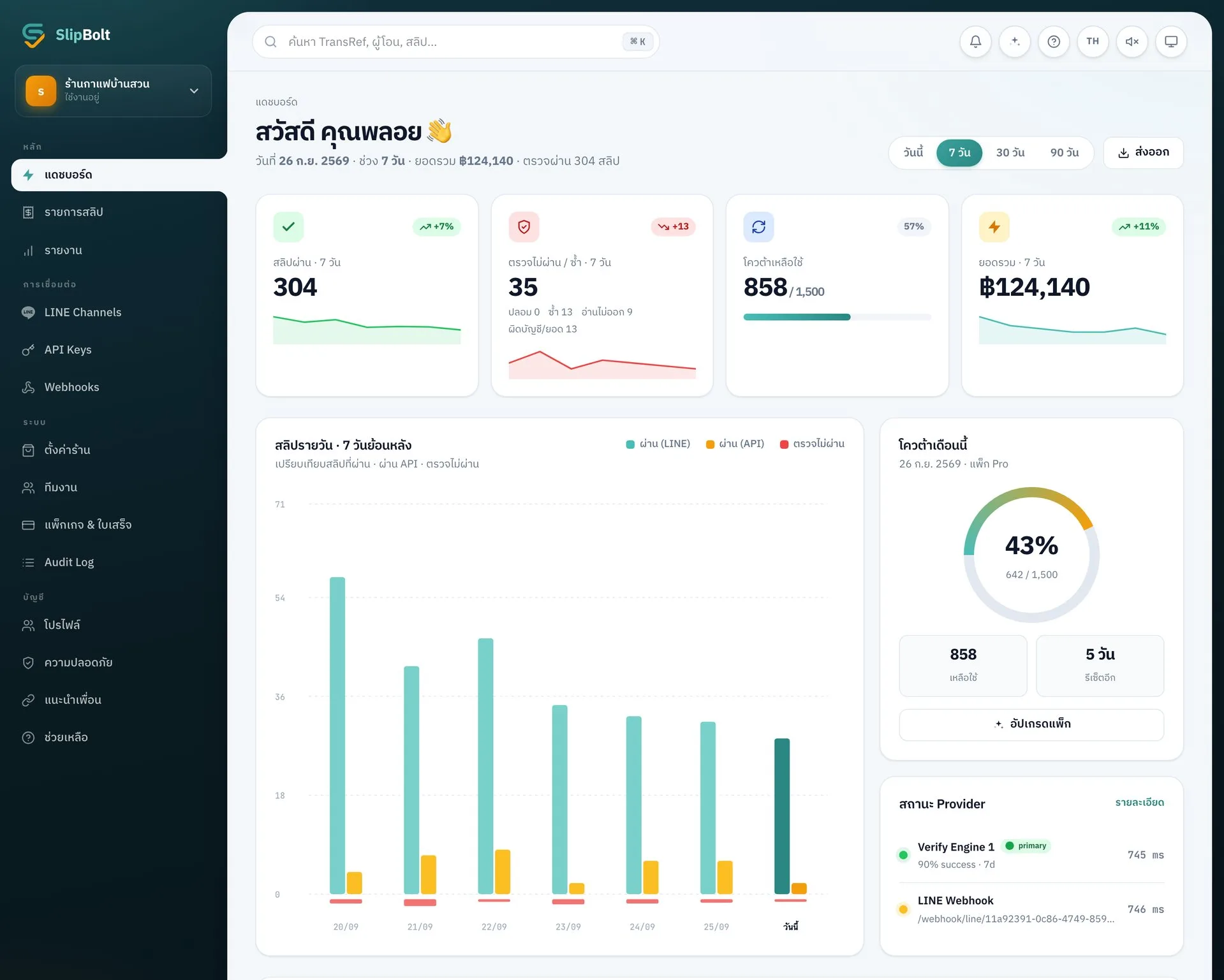
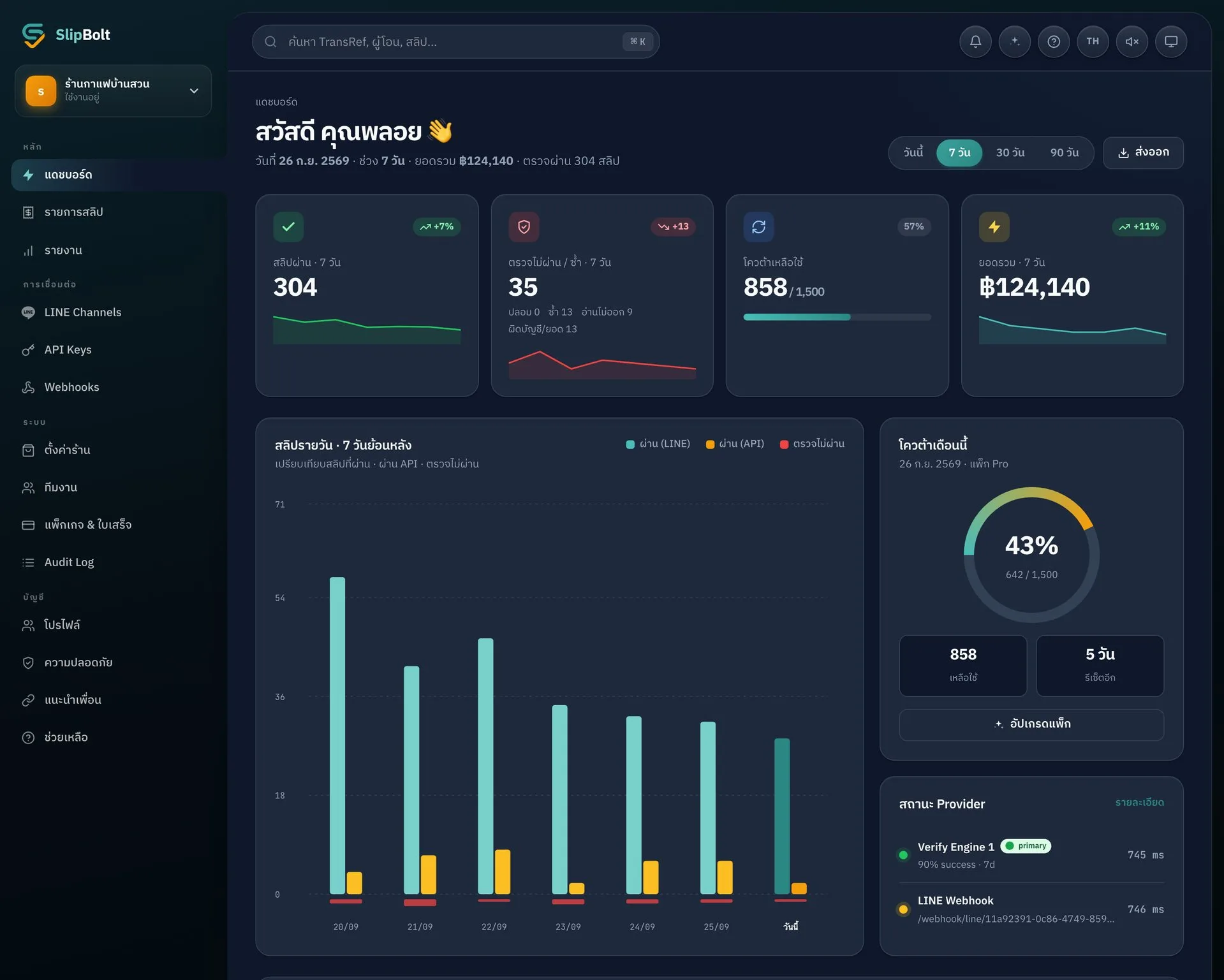
Today's takings, passed and rejected slips, a daily chart and the quota you have left — all on the first screen you open. Every slip is in a table you can search, filter and export to CSV for Excel or Google Sheets.
- Takings · passed · rejected · quota on the first screen
- 7 / 30 / 90-day charts + busiest-hours report
- Find any slip by sender, bank or reference
- Export any table to CSV (opens in Excel)
Store only what's necessary
deleted within 60 seconds
Customer slip images are deleted within 60 seconds after verification. Only the essential text data is kept for the audit log. Every action leaves a trail, and PDPA export/delete requests are honored at any time.
- Image files deleted automatically within 60 seconds
- All data encrypted in transit
- Audit log covers every event
- Data export / account deletion in 1 click
Connect your back office
REST API + Webhook
For shops that already run a POS / CRM / order management system: send slips for verification via the REST API, or receive a webhook whenever a new slip arrives from LINE — every response is JSON per the OpenAPI 3.1 standard.
- REST API · OpenAPI 3.1 spec · Starter plan and up
- Webhooks push events to your CRM
- SDKs: Node.js · PHP · Python (coming soon)
- Rate limit: 120 req/min per API key · plus a 240 req/min cap on /verify
// verify a slip image via SlipBolt API
const url = 'https://api.slip-bolt.com/api/v1/verify';

const res = await fetch(url, {
  method: 'POST',
  headers: {
    'Authorization': 'Bearer sk_live_••••',
    'Content-Type': 'application/octet-stream',
  },
  body: image,
});

const { data } = await res.json();
// data.verified → true | false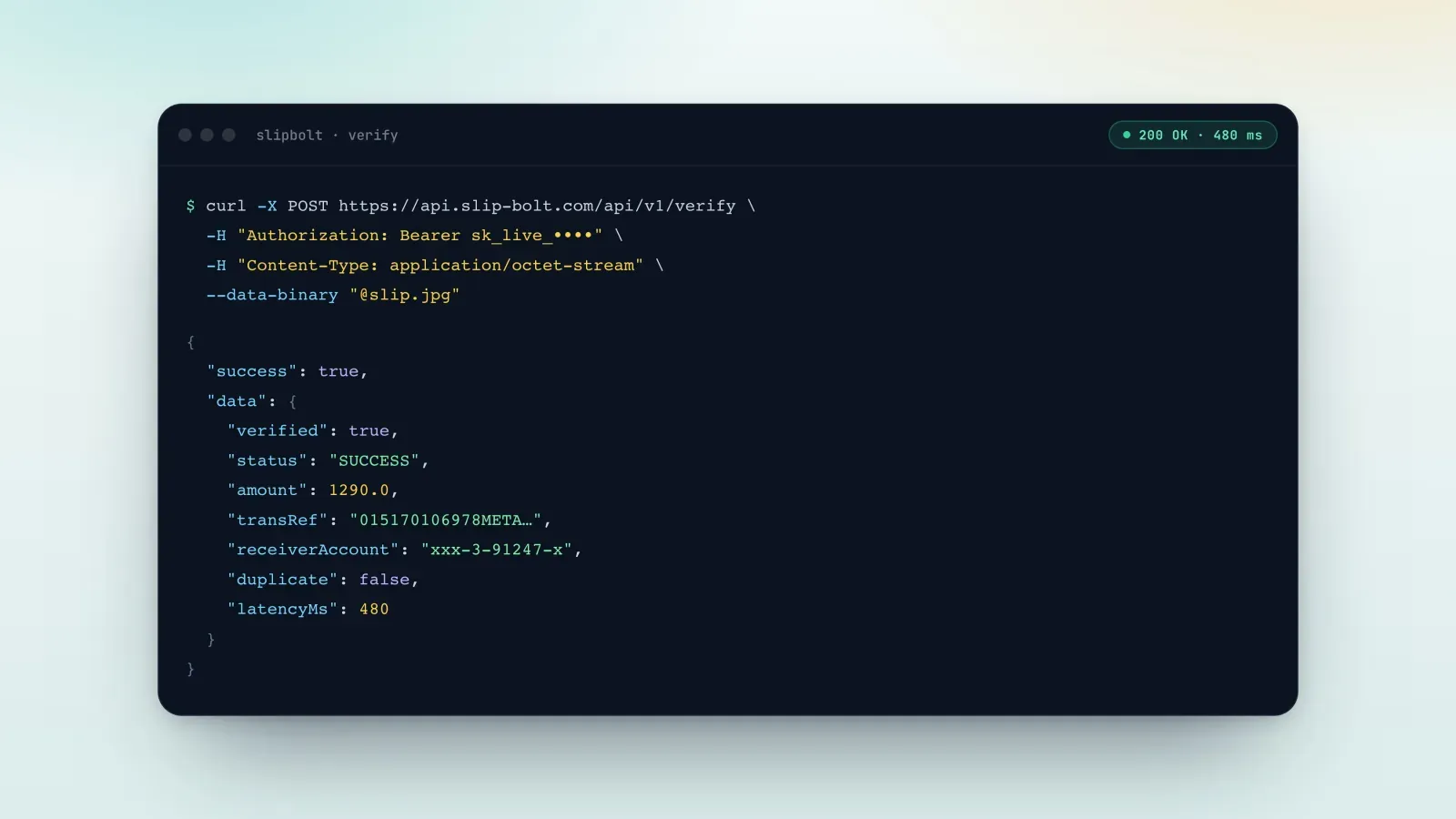
Come in from anywhere
answered in one place
SlipBolt accepts slips from multiple channels — several LINE OAs, the REST API, email forwarding, or webhooks from other systems. Every slip lands in the same dashboard.
- LINE OAs by plan (Pro up to 10 · Business unlimited)
- REST API + Webhook
- Email parser (forward slips from your banking app)
- All channels unified in 1 dashboard
The work you do every day,
handed to a machine
It's not that you can't check slips yourself — it's that every slip you check by hand costs time and adds one more chance to miss something.
| — | By hand | With SlipBolt |
|---|---|---|
| Time per slip | Open the banking app, scroll for the transfer, match amount and time | Under a second, answered in the chat for you |
| Fake or edited slips | Judged by eye — if the numbers look right, it passes | Never judged from the image: the QR is read per the Bank of Thailand spec and checked against bank-side data |
| The same slip sent twice | You have to remember whether you've seen it before | Checked against every slip this shop has passed, automatically, with no day limit |
| Paid into the wrong account | You have to read the receiving account on every slip | The receiving account is checked on every slip, no exceptions |
| Outside business hours | Customers wait until someone is free to look | Runs 24 hours a day with nobody watching it |
| Looking it up later | It's in the chat somewhere — scroll and hope | Searchable in the dashboard and exportable to CSV |
Everything above is what the system does today, not what it's planned to do.